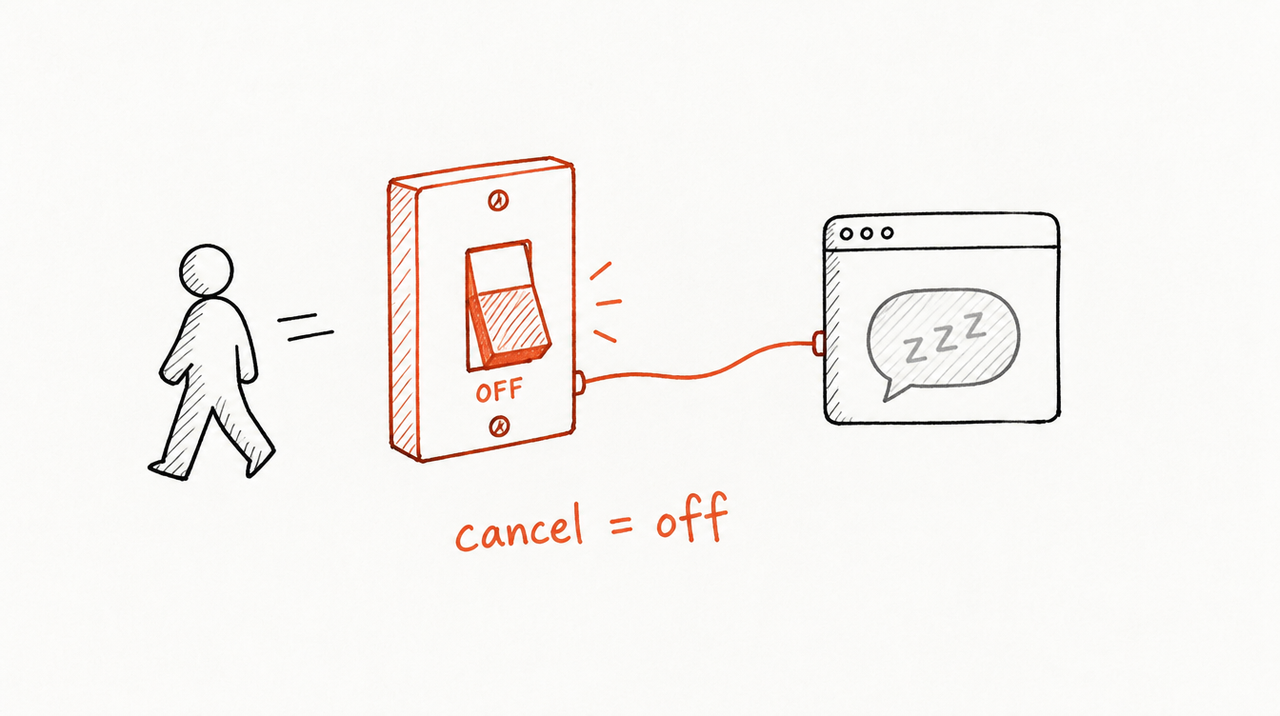
The short answer: you can't do it by sending clients the Skill files, because a client who has the folder can copy it, keep using it after they cancel, and nothing bills them for it. What works is keeping the Skill on a server you control, giving each client their own login to it from inside their own Claude or ChatGPT, and letting their subscription switch that login off the moment they cancel or stop paying.
Below: that setup step by step, what each part takes to build and run, and the shortcut. ExpertRelay runs it for agencies at $99 a month plus $49 a month per client.
Say you run a paid-media agency and wrote a Skill that reviews an ad account the way your team does. A client asks between weekly calls: "CPA is up 22% this week, should we cut spend?" You want them to get your team's answer in their own ChatGPT or Claude, pay for it monthly, and lose it the day the retainer ends, without ever holding your playbook.
Why can't I just send clients the Skill files?
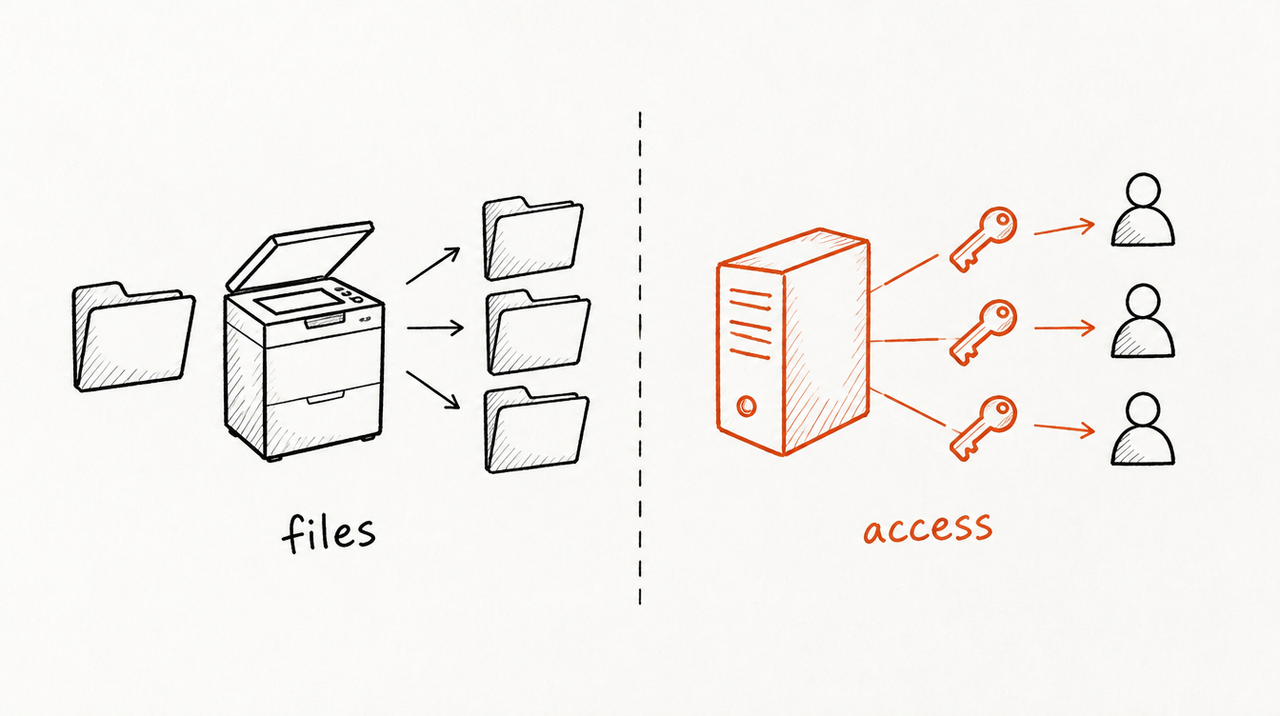
A Claude Skill is a folder: a SKILL.md file with instructions, plus any reference files and scripts. A client installs it by uploading the ZIP to their own Claude account, and Anthropic's help article tells people to read a Skill's files before turning it on. So clients can read them too:
- They can copy it: anything their Claude can read, they can open, forward, or paste into ChatGPT.
- Nothing bills them: a ZIP has no subscription attached.
- You can't take it back: when a client cancels, the files stay on their account.
- Every update is a resend: you email a new ZIP to every client and hope they reinstall it.
Claude's built-in sharing doesn't solve this. As of October 2026 it's on Team and Enterprise plans, for colleagues and groups in your organization (source). It doesn't cover a client on their own Claude plan, and there's no billing.
Can the Claude Skills API give each client their own access?
Not by itself. Skills uploaded through the Claude API belong to a workspace: any API key for that workspace can read, run and delete every Skill in it, so Anthropic's advice for multi-customer products is one workspace per customer (up to 100 per organization by default). And API Skills don't appear in claude.ai; they run in apps you build. So the API doesn't put your Skill in the client's own Claude, or bill anyone.
What does the do-it-yourself setup look like?
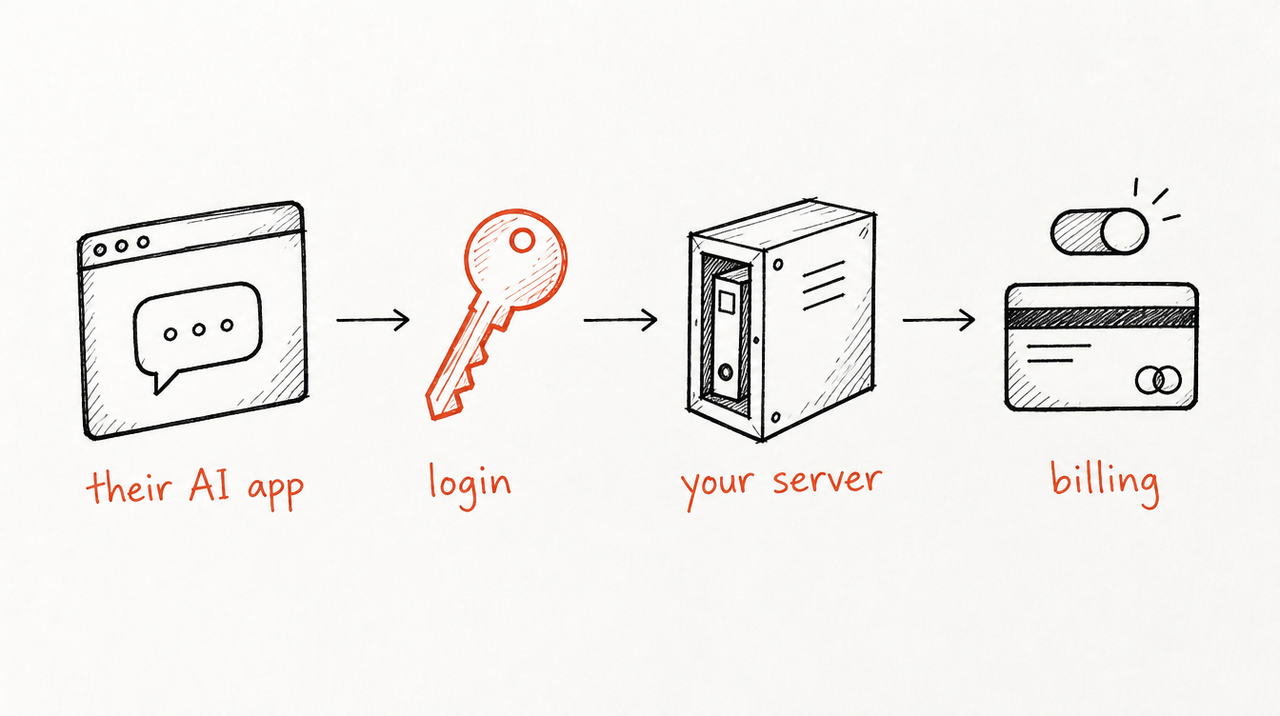
When we asked ChatGPT and Claude this question in October 2026, both recommended this setup and named no product. The client's AI app gets a thin connection; the playbook stays with you:
Client asks a question in Claude or ChatGPT
  -> their app calls your connection, with the client's login token
  -> your server checks the token: which client is this?
  -> your server checks billing: is their subscription active?
  -> your server runs the playbook on the question
-> only the answer goes back to the client's app- Host the playbook on your server. In practice, a remote MCP server: the standard way Claude, ChatGPT and Cursor connect to an outside tool (What is an MCP server?). One catch: if your server just hands the playbook text to the client's AI, the client can read it in the tool's output. To keep it private, your server runs the AI model itself and sends back only the answer, so the model bill is yours. Ongoing: hosting, uptime, model costs.
- Give each client their own login. The MCP sign-in spec uses OAuth 2.1, the familiar "sign in and allow access" flow: the client signs in once, their AI app gets a token, and the token comes with every request for your server to check. Ongoing: security fixes, lost logins, spec changes.
- Bill each client with Stripe. One subscription per client, plus Stripe's customer portal, where clients update their card, download invoices, and cancel at once or at the end of the billing period. Mostly settings, not code.
- End access with a webhook, a message Stripe sends your server when something changes. Stripe sends customer.subscription.deleted when a subscription ends, and its docs say to revoke access when a subscription becomes canceled or unpaid (after failed payment retries, depending on your settings). Ongoing: missed messages, trials, refunds, disputes.
- Check the subscription on every request. A login token can outlive a subscription, so look up the client's access each time they ask, not just at sign-in. Stripe's guide suggests storing an access end date per customer.
- Write connection steps for each AI app. In Claude, a client adds your server as a custom connector. As of October 2026 every plan can, but Free accounts get one custom connector, and on Team plans only owners can add one. ChatGPT and Cursor have their own steps. Ongoing: these screens change, and clients will ask you for help.
- Add versions and limits, so you can roll back a bad change and one client can't run up your model bill.
- Put it in the contract. Both AIs suggested terms as a second layer: no copying or resale, access ends with the agreement. Terms don't stop copying, but they matter if someone tries.
Together that's a small software product, and someone at your agency has to own it after launch.
Is there a shortcut that does this for agencies?
ExpertRelay handles the hosting, logins, access checks, connection steps and updates. You bring the playbook; each client connects once from their own Claude, ChatGPT or Cursor account, in about two minutes. As of October 2026:
- Price: $99 a month for the agency plan plus $49 a month per client you turn it on for, no setup fee, first 14 days free (Stripe takes a card to start the trial). No percentage of what you charge clients.
- Each client's own access: up to 300 reviews per client a month; you can set a lower cap.
- Access ends when you remove a client: it stops answering and stops reading their accounts at once, and their seat comes off your bill. They keep their own chats; they never had the files.
- One update reaches every client on their next question.
- Their numbers, read-only: a review can read that client's own ad accounts, Google Analytics 4, Shopify and HubSpot (store and CRM numbers as totals, never customer details), and never changes a campaign, budget or record.
- Your domain: once you verify one such as ai.youragency.com, client invites and connections use it.
You pay us the $99 plan and $49 per client, and charge the client as you already do, in the retainer or as an add-on. If you'd rather clients pay at a checkout and lose access automatically when a subscription ends, that's how our plans for Skill sellers work: $29 a month for 200 customer runs, a flat fee with no cut of sales (Stripe's processing fees still apply). How to sell a Claude Skill without giving away the SKILL.md covers that route for one-off sellers.
Which option fits: files, sharing, the API, DIY or hosted?
- Send the Skill files: free and works today. Limitation: the client keeps a copy, nothing bills them, every update is a resend.
- Claude's built-in Skill sharing: view-only, updates arrive automatically, access can be removed. Limitation: Team and Enterprise plans, described for your own organization, no billing.
- Claude Skills API: full control in an app you build. Limitation: shared across a workspace, not in the client's own Claude, and you still build the app and billing.
- Build it yourself (MCP connector, OAuth, Stripe): fully yours, priced however you like. Limitation: you build and maintain sign-in, billing, hosting and setup help for each AI app.
- ExpertRelay: each client's own access inside their own AI app, $99 a month plus $49 a month per client. Limitation: clients need Claude, ChatGPT Plus or Pro (free ChatGPT can't add it yet), or Cursor; it hosts Skills, not MCP servers or code you wrote; no chat widgets or automations that change campaigns; and useful answers can reveal parts of how your agency thinks, even though the files stay private.
When is building it yourself, or just sending the files, the better call?
- Build it yourself if you have developers already, your tool runs code that must live on your servers, or you want your own billing rules.
- Just send the files if the Skill is a simple template that isn't why clients pay you, you trust the client, or it's a one-off project with no monthly fee. Claude will even help you write the Skill; that part is free.
- Share it inside Claude if the only people using it are your own team on a Team or Enterprise plan.
Hosting earns its cost when the playbook is what clients pay for, you have more than a couple of clients, and leaving should mean losing access.
See how ExpertRelay works for agencies →
FAQ
Can I charge clients a monthly fee for my Claude Skills?
Yes, but not by selling the files. Host the Skill, give each client a login, and tie that login to their subscription or retainer, either with your own connector, OAuth and Stripe, or with a host such as ExpertRelay.
How do I stop clients from copying my Claude Skill?
Don't give them the files. Keep the instructions on a server that sends back only answers, and add contract terms, since answers can still reveal parts of your thinking.
Can I share a Claude Skill with a client outside my organization?
Claude's built-in sharing is described for colleagues and groups in your Team or Enterprise organization. For a client on their own plan, send the ZIP or host the Skill and have them connect.
Can I update a Claude Skill once for all my clients?
Not with sent files: each client has to reinstall. With a hosted Skill, you publish once and every client gets the new version on their next question.


