Claude's own sharing only reaches people inside your Claude organization: on a Team or Enterprise plan you can share a Skill, view-only, with colleagues. To share a Skill with an outside client, you have four options: send the files as a ZIP, give them a private Git repo, publish it through a Claude Code plugin marketplace, or host it as a tool the client connects to from their own ChatGPT or Claude.
Only the hosted option keeps the files off the client's computer, sends every client your latest version, lets you switch a client off, and lets you bill per client. ExpertRelay is that hosted option for agencies, at $99 a month plus $49 a month per client. Below: what each route does, and when simply sending the files is fine.
What Claude's built-in Skill sharing allows (as of October 2026)
- Plans: Team and Enterprise only. Free, Pro and Max users can upload Skills for themselves but can't share them (Use Skills in Claude).
- Who you can share with: specific people by name or email, and on Enterprise a group your organization has set up. Anthropic describes this as sharing "with specific colleagues" (Provision and manage skills).
- View-only: recipients can use the Skill but can't edit it.
- Updates: recipients get your new version automatically the next time they use it.
- Removing access: you can remove someone at any time, and access ends automatically when they leave the organization.
- Admin switch: sharing is on by default for Team plans; regulated organizations start with it off.
You can also publish a Skill to your organization's library, and owners can provision one for every user. All of these stop at the edge of your organization. Your client has their own Claude account, their own company's plan, or uses ChatGPT.
Can I share a Claude Skill with someone outside my organization?
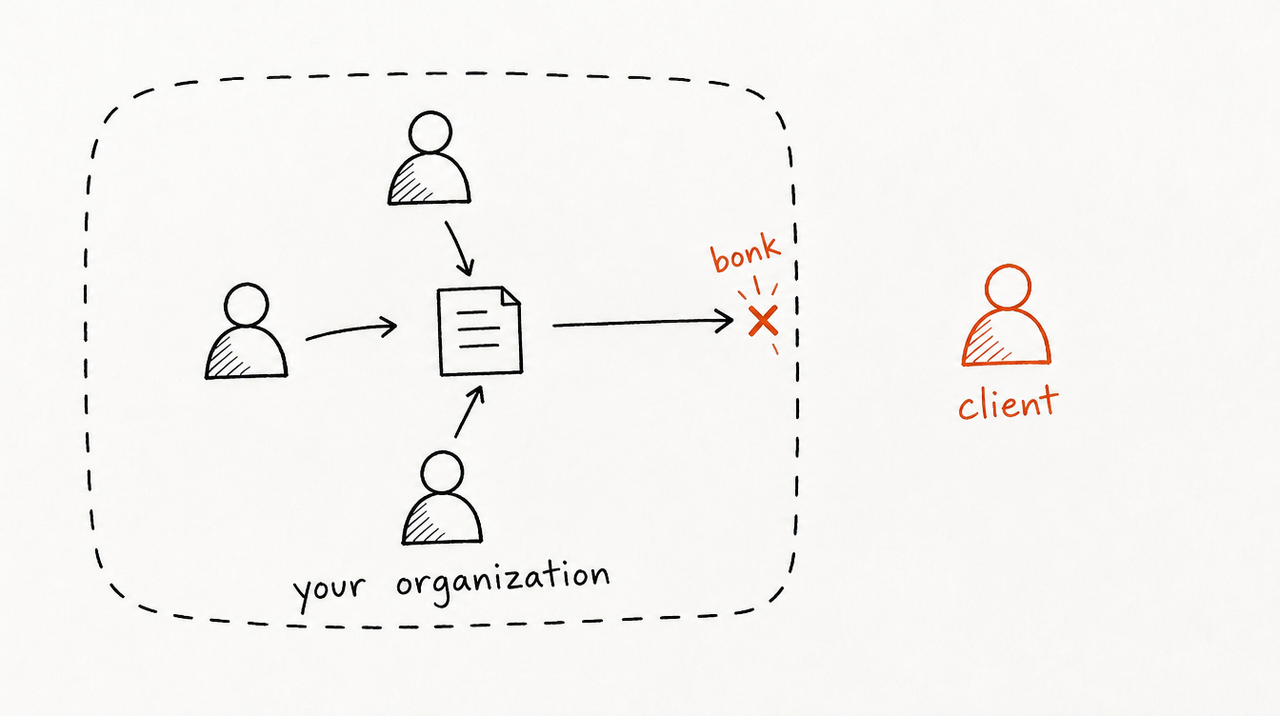
Not with Claude's Share button. You could add a client contact to your own Team plan, but you'd pay for their seat, they'd sit inside your workspace, and it does nothing for a client on ChatGPT.
Say you run a paid-ads agency and wrote a Skill for your weekly account review: what to check first, your CPA thresholds, how long each account takes for conversions to come in. A client asks between calls: "CPA is up 22% this week, should we cut spend?" You want that answered with your playbook, in the AI app they already use. Here are the four ways to get it there.
The four ways to share a Skill with an outside client
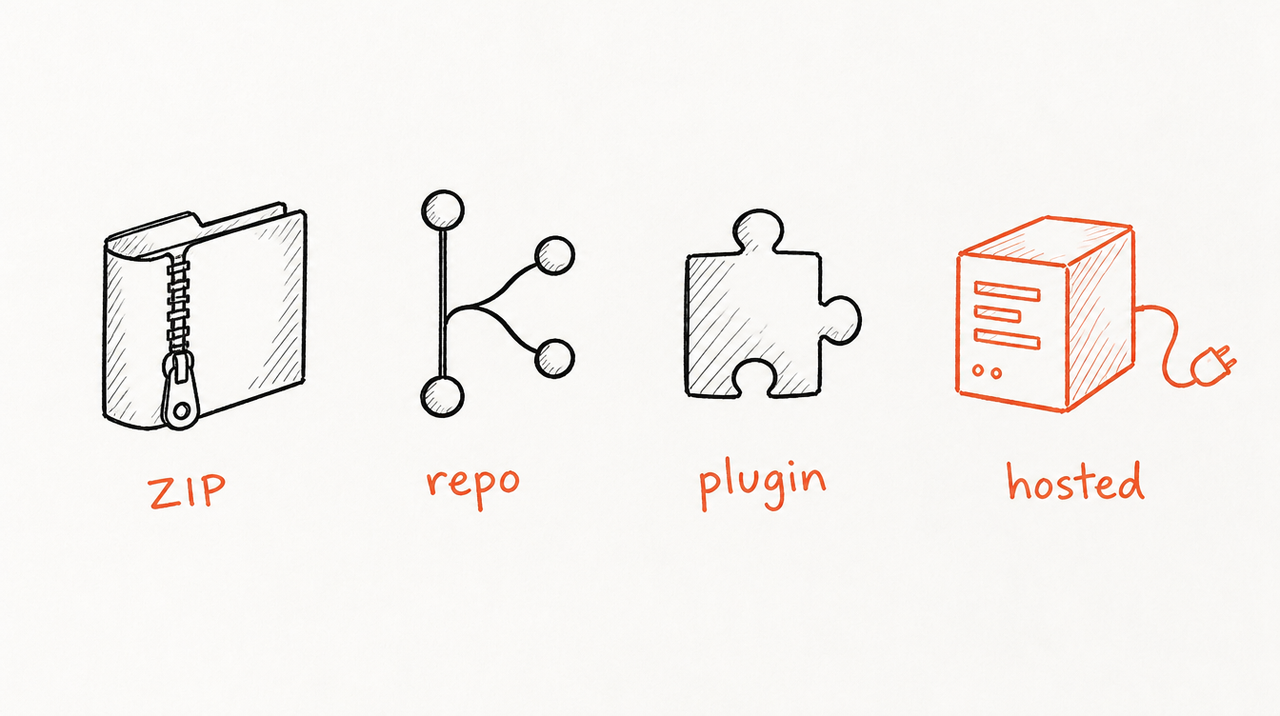
1. Send the files (a ZIP)
A Skill is a folder of instructions and files (what Claude Skills are). You zip it, email it, and the client uploads it under Customize, then Skills.
- Works in the claude.ai web app: yes, on every plan (Anthropic).
- Works in ChatGPT: sometimes. OpenAI's Skills use the same open format and can be uploaded, but they're aimed at workplace accounts where an owner has switched them on (OpenAI Academy).
- Updates reach the client automatically: no. You send a new ZIP; they re-upload.
- Client can copy it: yes, they have every file.
- You can remove access: no.
- You can charge for it: only once. Nothing ties use to payment.
- Limitation: every update is a round of emails, and the playbook leaves with the client.
2. A private Git repo
You keep the Skill in a private GitHub repository and add the client as a collaborator.
- Works in the claude.ai web app: only by downloading and uploading, as with a ZIP. In Claude Code they can clone it straight into their Skills folder.
- Works in ChatGPT: same as sending the files.
- Updates reach the client automatically: no. They pull and reinstall.
- Client can copy it: yes, with the full history of your changes.
- You can remove access: future updates only. They keep what they downloaded.
- You can charge for it: not through the repo.
- Limitation: the client needs a GitHub account and some comfort with Git.
3. A Claude Code plugin marketplace
A plugin is a package holding one or more Skills; a marketplace is a Git repository listing your plugins. The client adds it once, with /plugin marketplace add your-agency/your-repo in Claude Code or Customize, Plugins, Add marketplace in the Claude app.
- Works in the claude.ai web app: yes, on Pro, Max, Team and Enterprise (Use plugins in Claude).
- Works in ChatGPT: no. It's Claude's format.
- Updates reach the client automatically: only if the client turns it on. In Claude Code, auto-update for your marketplace is off until the user or their admin enables it (Host and maintain a marketplace); in the Claude app they click Check for updates or turn on Sync automatically (Install plugins).
- Client can copy it: yes, the files are installed in their account.
- You can remove access: future updates only. Anthropic's docs say that when a private repo can't be reached, the existing copy stays in place and keeps working.
- You can charge for it: no billing or per-client access.
- Limitation: great for shipping updates to people you trust, but technical to set up; it suits clients whose team already uses Claude Code.
4. A hosted tool clients connect to
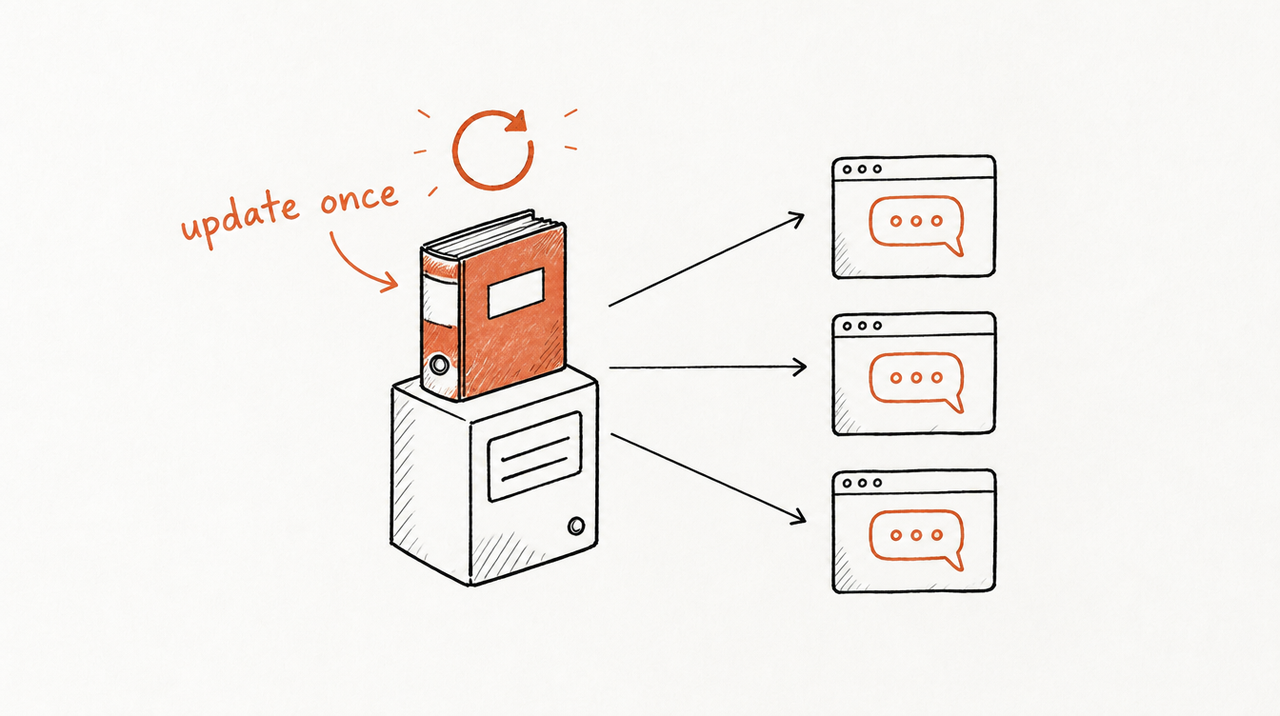
The Skill runs on a server and the client adds it to their AI app by pasting a link. Claude calls this a custom connector; the technical name is an MCP server (explained here). The client asks in Claude or ChatGPT as usual, the answer comes from your Skill, and they never receive the files.
- Works in the claude.ai web app: yes. Custom connectors work on Free (one connector), Pro, Max, Team and Enterprise (Anthropic).
- Works in ChatGPT: yes, if the host supports it. With ExpertRelay, ChatGPT clients need Plus or Pro.
- Updates reach the client automatically: yes, on their next question.
- Client can copy it: no files to copy. But useful answers can reveal parts of how you think, and no host can stop someone piecing that together.
- You can remove access: yes, at once.
- You can charge for it: yes, monthly, per client.
- Limitation: someone has to run the server, each client's sign-in and the billing, so you build it or pay a host.
Side by side
- Works in the claude.ai web app: files, yes. Git repo, by download and upload. Plugin marketplace, yes on paid plans. Hosted tool, yes.
- Works in ChatGPT: files and Git repo, only where the workspace has Skills on. Plugin marketplace, no. Hosted tool, yes.
- Updates reach the client automatically: files and Git repo, no. Marketplace, if the client turns it on. Hosted tool, yes.
- Client can copy it: files, Git repo and marketplace, yes. Hosted tool, no.
- You can remove access: files, no. Git repo and marketplace, future updates only. Hosted tool, yes.
- You can charge for it: files, once. Git repo and marketplace, only by billing separately. Hosted tool, yes, per client.
When sending the files is perfectly fine
- The client is practically internal: a long-standing client, a sister company, or an in-house team you're training.
- Nothing in it is proprietary: a report template or a checklist anyone could write.
- It's a handover: the project ends and the client is meant to own and maintain the Skill.
- You're testing an idea: one or two friendly clients before you decide it's worth more.
Then send the ZIP with a note on how to upload it. Hosting earns its cost when the Skill is the part clients pay you for, you have more than a handful of clients, and you'd rather update once than email twelve ZIPs.
How agencies share a Skill with clients using ExpertRelay
- Where clients use it: their own Claude, ChatGPT or Cursor account, set up in about two minutes, or a web page if their AI app can't add it.
- Your name on it: once you verify a domain such as ai.youragency.com, invite pages and connections use it.
- Their own numbers: reviews can read the client's own ad accounts, Google Analytics 4, Shopify and HubSpot, read-only (store and CRM numbers as totals, never customer details). They never change a campaign, budget or record.
- One update for everyone: improve a review once and every client gets it on their next question.
- When a client leaves: remove them and access ends at once, and their seat comes off the bill. They keep their chats; they never had the files.
- Price: $99 a month for the agency plan plus $49 a month per client you turn it on for, no setup fee, first 14 days free (card required). 300 reviews per client a month, with a lower cap if you want one.
Limitations: clients need Claude, ChatGPT Plus or Pro, or Cursor (or the browser page). It hosts Skills, not code or MCP servers you wrote yourself. It isn't for website chat widgets or automations that change campaigns. Selling to the public instead? See how to sell a Claude Skill.
See how ExpertRelay works for agencies →
FAQ
Can I share a Claude Skill with someone who isn't in my Claude organization?
Not with Claude's Share button. As of October 2026 it works on Team and Enterprise plans and reaches only colleagues and groups in your organization. For an outside client, send the files, use a Git repo or plugin marketplace, or host the Skill.
Do shared Claude Skills update automatically?
Inside your organization, yes. A ZIP never updates, a plugin marketplace updates when the client syncs, and a hosted tool always uses your latest version.
Can a client copy a Claude Skill I send them?
Yes. If they install it, they can read, edit and forward the files. Keeping them private means keeping them on a server.
Can my client use a Claude Skill in ChatGPT?
Possibly, if their ChatGPT workspace has Skills switched on. A hosted tool works in both Claude and ChatGPT.
Can I take back a Skill I've already sent?
No. Removing a client from a repo or marketplace stops updates, not the copy they have.
How do agencies charge clients for a Claude Skill?
Usually inside the retainer or a higher tier. To charge monthly and end access when a client stops paying, the Skill has to be hosted.


