When course creators ask how to turn a course into AI, most picture a chatbot that has read every lesson and answers students' questions. That's one option, and course platforms now sell it. But the version students get the most from usually does something else: it applies your method to their own work. It scores their offer, reviews their page, or builds their plan, the way you would.
This guide covers how to decide what your AI should do, how to turn lessons into tools, where those tools can run (with the honest trade-offs of each), and how to sell them.
First, decide what the AI should do
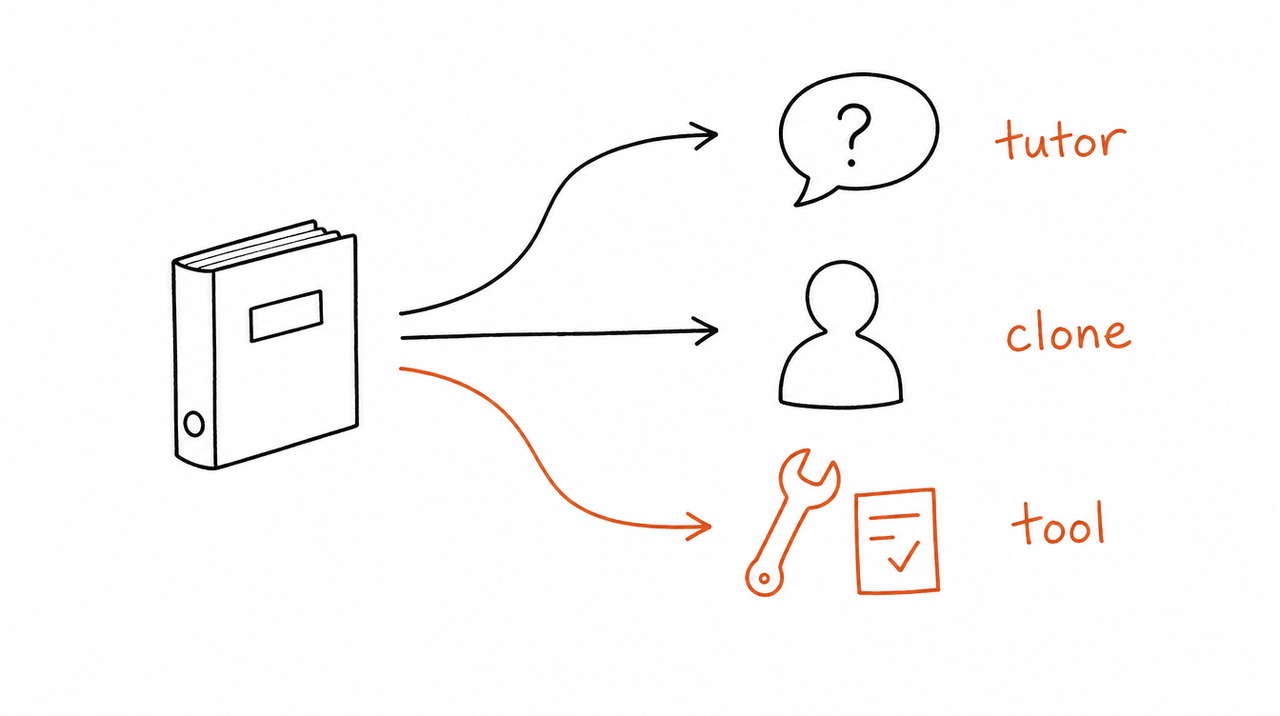
"AI from my course" can mean three different products:
- A tutor answers questions about your lessons: "What did module 3 say about pricing?" Course platforms build these into the course player.
- A clone talks like you, trained on your posts, videos and podcast. It's mostly used for leads and between-session questions. See AI clone vs AI tools.
- A tool does one job your course teaches, on the student's own material: "Here's my offer. Score it." It asks for what your method needs, follows your steps, and returns a work product.
A tutor helps students understand the course. A tool helps them use it. Since most students get stuck applying the method, not understanding it, tools are usually where the value is. The rest of this guide is about building those.
Step 1: Find the jobs in your course
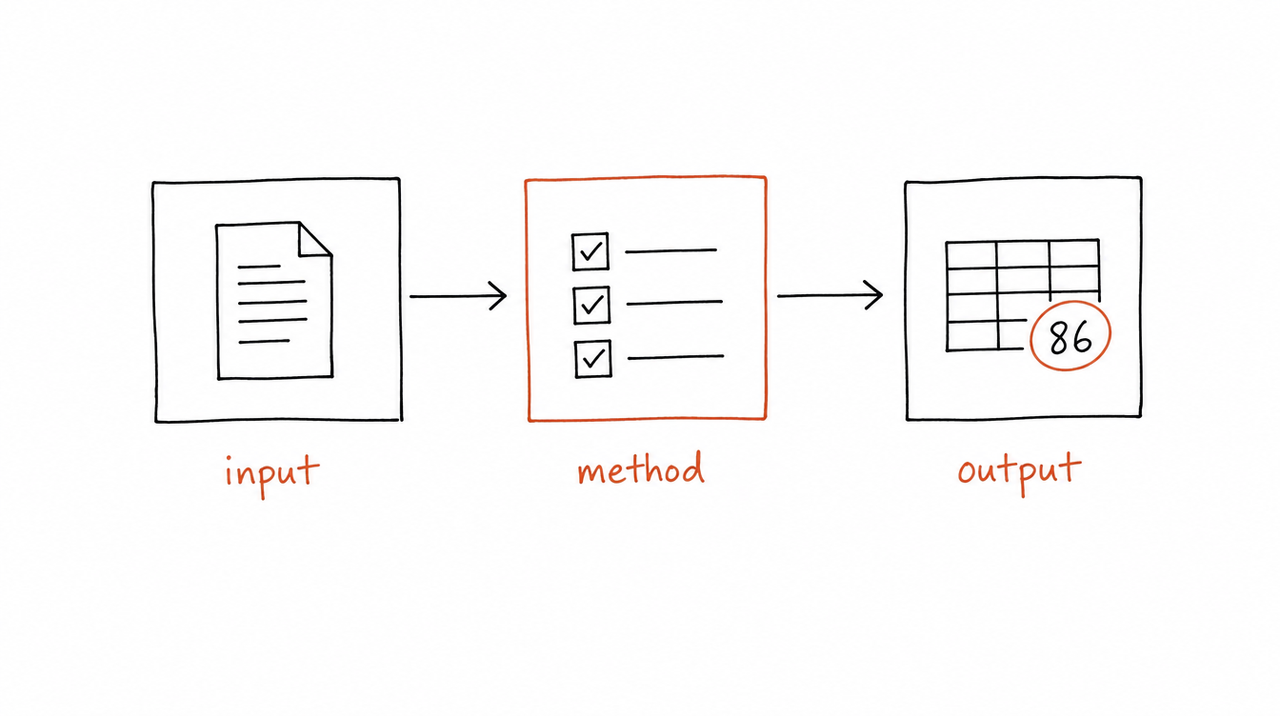
Go through your course and list the things a student is supposed to do after each lesson. The good candidates have three parts:
- An input the student brings: their offer, their landing page, last month's numbers.
- A method you teach: a checklist, a scoring rubric, a sequence of steps, decision rules.
- An output they produce: a score, a review, a plan, a rewrite.
Typical examples: an offer audit from your offer module, a landing-page review from your conversion checklist, a launch plan from your launch process, a weekly client report from your reporting lesson.
Skip lessons that are mostly mindset, story or overview. They make good teaching, but there's no job for a tool to do. And don't try to turn the whole course into one tool. One tool per job is easier to test, and the AI picks the right one more reliably.
Step 2: Write each job as a spec
For each job, write down what you'd tell a student doing it for the first time. This becomes the tool's instructions, whichever route you choose in step 3:
# Offer audit

## Use when
The student asks for feedback on an offer, a price, or a sales page headline.

## Ask for these first
Who the offer is for, what they get, the price, and the promised result.
If any are missing, ask. Don't guess.

## Steps
1. Score the offer 1-5 on each of the five criteria from module 2.
2. Name the weakest criterion and explain why, in one paragraph.
3. Rewrite that part of the offer using the module 2 process.

## Rules
- Use the criteria names from the course.
- If the offer is for a market the course doesn't cover, say so and stop.

## Output
A score table, the weakest criterion, and the rewrite.
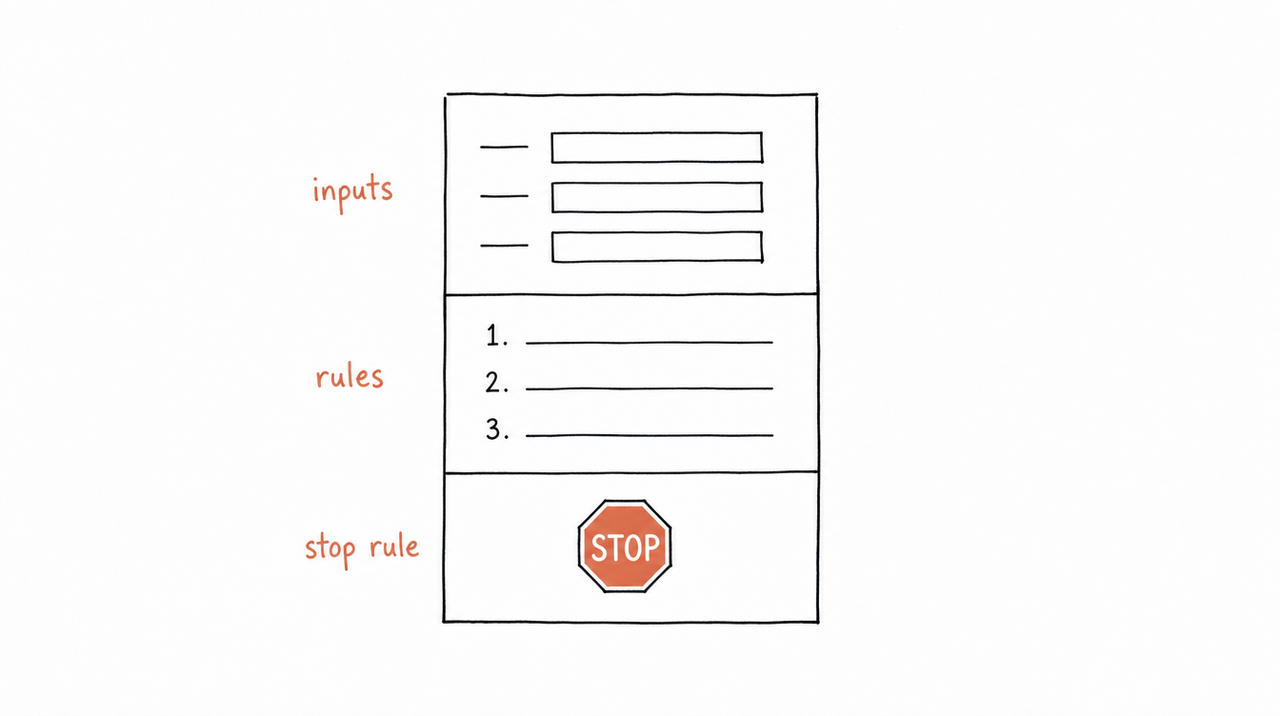
Three parts make the difference between a tool and a chatbot:
- Inputs to ask for. Without them, the AI fills the gaps with guesses.
- Decision rules. The thresholds and "if this, then that" calls you make without thinking. These are your method; the AI doesn't know them.
- A stop rule. When the method doesn't apply, the tool should say so rather than improvise.
Add two or three real examples of good output, such as a student's audit you'd mark as excellent. Examples teach tone and standard better than any description.
Leave out what the AI already knows. You don't need to explain what an offer is, just your rules for judging one.
Step 3: Choose where it runs
This is the decision that matters most, because it sets who can use the tool, whether they see your material, and how you get paid.
Custom GPT: don't start here
OpenAI is retiring custom GPTs on December 11, 2026, and personal ChatGPT accounts already can't create new ones. If you have one, see Custom GPTs are being retired for how to move it.
A Claude Project: good for testing, not for students
A Claude Project holds your instructions and files, and every Claude account can create one, including Free. It's the quickest way to try your spec on real cases. But Projects can only be shared with people in the same Team or Enterprise organization, so you can't hand one to your students.
A Skill file: works, but students get your files
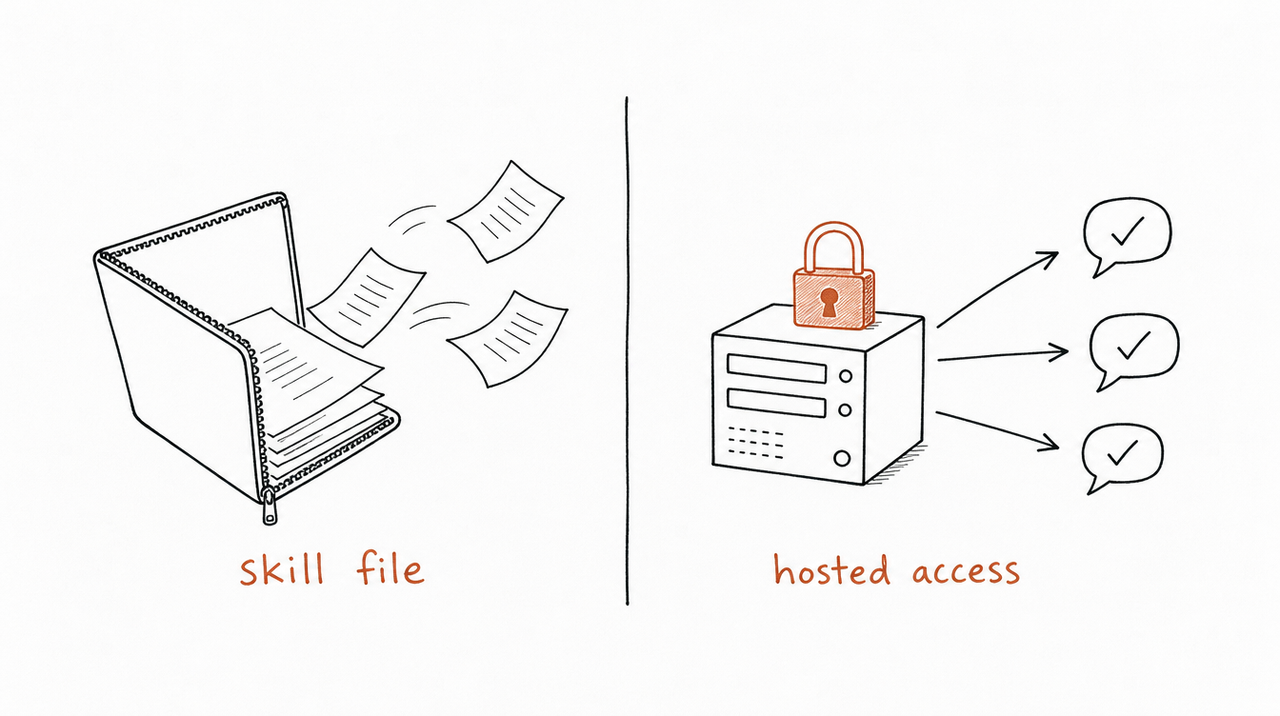
You can package each tool as a Claude Skill, a folder with your instructions and examples. Skills work on every claude.ai plan, including Free, with code execution turned on. ChatGPT also supports skills, but only on Business, Enterprise, Healthcare and Edu plans. How to build a Claude Skill from your course walks through it step by step.
The catch is distribution. To use a Skill file, a student installs it, which means they can read your full instructions in plain text, share them, and keep them after a refund. Every improvement means asking everyone to reinstall. Fine for a free bonus, risky when the method is the product.
Your course platform's AI assistant
Some course platforms now include a student assistant that answers from your lessons:
- Kajabi: Expert Agents Teaching Assistant, $79 a month per agent.
- Thinkific: Thinker, only on Thinkific Plus (enterprise, custom pricing).
- Circle: AI Agents, from the Scale plan ($419 a month, billed annually).
- Teachable and Skool: no student assistant described, as of October 2026.
These are tutors: they live in the course website and answer questions about the content. They're the easiest option if you're already on one of these platforms and want a tutor. They don't run in the student's own AI app or work on the student's own documents. What AI do Kajabi, Teachable, Thinkific, Skool and Circle offer? compares them in detail.
Hosted tools in your students' own AI app
The last option is to keep the tools on a server and let students connect to them from the AI app they already use, such as Claude, ChatGPT or Cursor, through MCP, the standard way AI apps connect to outside tools. Students run the tool on their own work, but your instructions and files never leave the server. Access can follow purchases and refunds, and an update reaches everyone on their next run.
This is what expertrelay does (more below). You can also build it yourself as an MCP server, if you're comfortable running one and handling sign-in and payments.
Which to pick
- Just experimenting: a Claude Project, for yourself.
- A free bonus for students on Claude: a Skill file.
- A Q&A tutor inside your course site: your platform's assistant, if it has one.
- Paid tools that apply your method to students' own work: hosted tools.
Step 4: Test it like a student would
Before anyone else sees a tool, run it on cases you know the answer to:
- Real student work. Use a past student's actual offer or numbers and compare the result with what you told them.
- The same request several times. Run it three to five times. If the scores swing, your rules are too loose.
- Missing information. Leave out the price. A good tool asks for it.
- Out of scope. Ask about something your course doesn't cover. A good tool says so.
When the result is wrong, fix the spec, not the prompt. If audits keep running long, add a length rule. If a criterion gets ignored, move it higher.
Step 5: Decide how to sell it
There are four common ways to package tools built from a course:
- Included with the course, as a reason to buy and a way to help students finish.
- A higher tier: course plus tools, priced above the course alone.
- A subscription for ongoing access, which suits tools students use every week or month.
- A separate product for people who'll never take the course but want the result, such as an audit they can run themselves.
Whichever you choose, access should end when a refund or cancellation does. That's easy with hosted tools and a platform assistant, and impossible with a file.
Common mistakes
- Uploading the whole course into one chatbot. You get a tutor that summarizes lessons, not a tool that does the work.
- No inputs or stop rule. The AI guesses instead of asking, and improvises outside your method.
- Building on custom GPTs. They retire on December 11, 2026.
- Explaining what the AI already knows. Every paragraph on general theory makes your actual rules easier to miss.
- Giving away the files when the method is the product. A Skill file in a student's hands is a copy of your instructions.
The shortcut: let expertrelay find the tools in your course
Step 1 and step 2 are the slow part for a whole course. expertrelay reads your lessons, transcripts, worksheets and frameworks and suggests the tools inside them, each tied to the material it came from. You review and test every one privately before anyone uses it.
When you're ready, students connect once from Claude, ChatGPT or Cursor and run the tools on their own work. Your instructions stay private, access follows purchases and refunds, and each update reaches everyone. It's free to build and test; you pay when you give customers access.
FAQ
Can I turn my online course into an AI chatbot?
Yes. Kajabi, Thinkific and Circle offer student assistants that answer from your lessons, on certain plans. If you want AI that applies your method to students' own work, build tools instead, one per job your course teaches.
Can I share a Claude Project with my students?
Not unless they're in your Team or Enterprise organization. Projects can't be shared from Free, Pro or Max plans.
Do my students need a paid AI plan?
It depends on the route. Claude Skills work on every claude.ai plan, including Free. ChatGPT skills need a Business, Enterprise, Healthcare or Edu plan. A platform assistant needs only access to your course. For hosted tools, connection steps depend on the student's app and plan.
Will students see my course material?
With a Skill file, yes: they get your instructions in plain text. With a platform assistant or hosted tools, they get answers, not the files.
What's the difference between an AI tutor and an AI tool?
A tutor answers questions about your course. A tool does a job your course teaches, on the student's own material, and returns a work product like a score, review or plan.
How long does it take?
Writing and testing one tool by hand takes an afternoon. A whole course takes longer, mostly in finding the jobs and writing the decision rules.


